

 ARTS & SCIENCES COMPUTING
What Is a Superlist?
A Superlist is a parent LISTSERV list that includes other lists (sublists). When you post to the Superlist, LISTSERV delivers the message to all sublists and automatically suppresses duplicates for users who belong to multiple sublists.
Before You Start
- You must own the parent list and the sublists you plan to include.
- All lists must reside on the same LISTSERV server.
- Switch to Expert Mode in the LISTSERV web interface:
- Click your email (top-right) → Edit Profile → Mode → Expert Mode → Save.
Steps to Create a Superlist
1. Log In
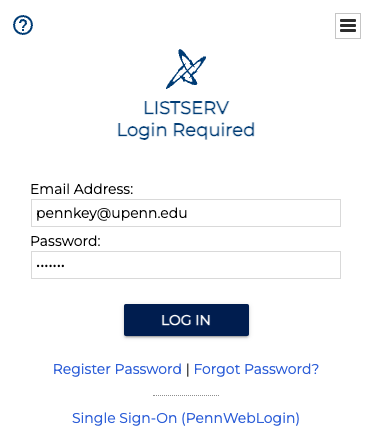
- Go to lists.upenn.edu
- Click Login (top-right) and sign in with your PennKey credentials.
2. Open List Configuration
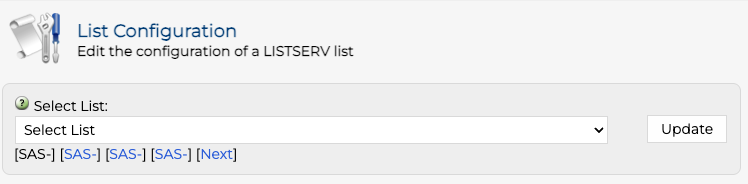
- Click List Management in the main navigation.
- Select List Configuration.
- Use the Select List drop-down menu to find and select the list you want to make the Superlist.
3. Add Sublists
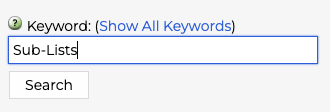
- Use the Keyword search box to find the
Sub-Listsfield. - Enter the names of the sublists you want to include (no domain needed). One per line is recommended.
- Click Update to apply changes.
Example:
Sub-Lists= DEPT-STAFF
Sub-Lists= DEPT-STUDENTS
You can also separate names with commas.
4. Advanced Permissions (Optional)
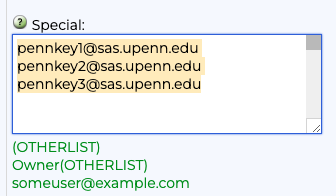
To grant posting rights to members or owners of another list, use these formats in the Special field (e.g., Non-Member Senders) under Subscriptions:
OTHERLIST        → all members of OTHERLIST
Owner(OTHERLIST) → only owners of OTHERLIST
5. Verify and Test
- Confirm your sublists appear in the
Sub-Lists=field. - Post a test message to the Superlist. LISTSERV will expand recipients across all sublists and suppress duplicates.
6. Edit or Remove Sublists Later
- Open the parent list → Distribution → edit the
Sub-Lists=field. - To remove a sublist, delete its name and click Update.